Fast Area Series
In This Topic
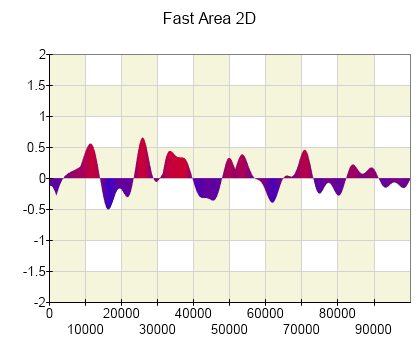
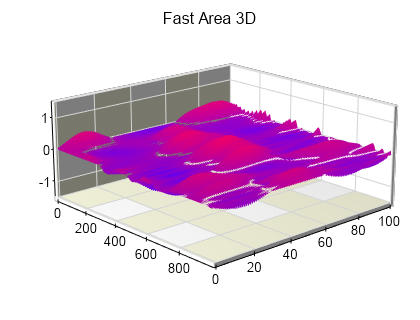
The fast area series is used to display a series of bars with controllable x value, z value, color, width, depth, and origin. It is the recommended way to display bar charts when rendering very large data sets and when high performance and rendering speed are essential. The images below showcase the fast area series in 2D and 3D:
Creating a Fast Area Series
Fast area series are represented by the NFastAreaSeries type. An instance of this type must be added to the series collection of a Cartesian chart:
| C# |
Copy Code
|
NFastAreaSeries fastAreaSeries = new NFastAreaSeries();
chart.Series.Add(fastAreaSeries);
|
Passing Data
Once the fast area series is created you can add some data in it. Fast area series by default have a Y values channel and intrinsic x values, and color channels. The z value is common to all data points in a fast area series. To pass data to one of the intrinsic data channels you need to first enable it using the HasXValues or HasColors properties of the fast area series data object. The following example adds several thousand data points to a fast area series:
|
Copy Code
|
NFastAreaSeries fastAreaSeries = new NFastAreaSeries();
chart.Series.Add(fastAreaSeries);
int count = 10000;
Random random = new Random();
fastAreaSeries.Data.SetCount(count);
unsafe
{
    fixed (byte* pData = &fastAreaSeries.Data.Data[0])
    {
        int dataItemSize = fastAreaSeries.Data.DataItemSize;
        float* pValue = (float*)fastAreaSeries.Data.GetDataChannelPointer(ENSeriesDataChannelName.YValueF, pData, 0);
        for (int i = 0; i < count; i++)
        {
            *pValue = random.Next(100);
            pValue += dataItemSize;
        }
    }
}
|
Controlling the Area Origin
The area origin value is controlled in the same way as in the regular area series. For more information check the "Controlling the Area Origin" section the in Standard Area series topic.
See Also
