
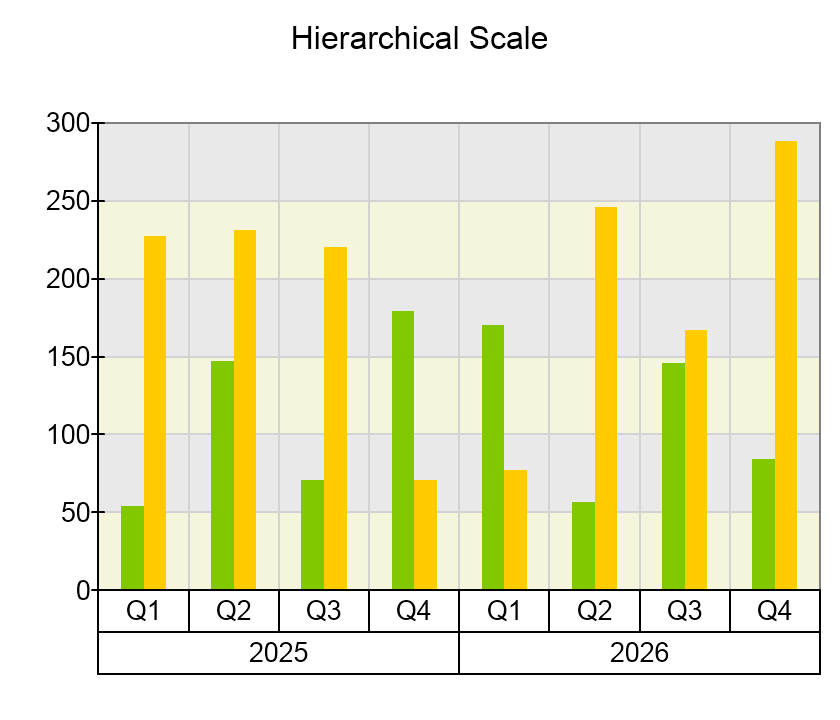
You create a hierarchical scale by creating an instance of the NHierarchicalScale class and then adding some child nodes to its root node to denote the values on the scale. The following code shows how to create the scale from the above image:
| C# |
Copy Code
|
|---|---|
NHierarchicalScale scale = new NHierarchicalScale(); chart.Axes[ENCartesianAxis.PrimaryX].ScaleConfigurator = scale; for (int i = 0; i < 2; i++) { // create a node representing the year string yearName = (i + 2025).ToString(); NHierarchicalScaleNode yearNode = new NHierarchicalScaleNode(0, yearName); yearNode.LabelStyle.TickMode = ENRangeLabelTickMode.Separators; scale.ChildNodes.AddChild(yearNode); for (int j = 0; j < 4; j++) { // create nodes representing the quarters within the year string quarterName = "Q" + (j + 1).ToString(); NHierarchicalScaleNode quarterNode = new NHierarchicalScaleNode(3, quarterName); quarterNode.LabelStyle.TickMode = ENRangeLabelTickMode.Separators; yearNode.ChildNodes.AddChild(quarterNode); } } scale.CreateSeparatorForEachLevel = true; |
|
Each node on the scale is represented by an instance of the NHierarchicalScaleNode class. The constructor of this class accepts two arguments - the node length and text. Note that the above code sets the length of year nodes to zero. This is because it will be ignored for nodes that have children and therefore you do not have to specify it. For such nodes their length on the scale is determined by the sum of their leaf descendant node's length (in the above code the year node will have length of 12 as it contains four leaf descendant nodes (year quarters) with length 3.